Google Ads is a powerful platform for online advertising. To create, manage, and track your ad campaigns, you first need to access your account. This guide explains how to sign in to Google Ads easily, with tips for troubleshooting and keeping your account secure.
1. Visit the Google Ads Login Page
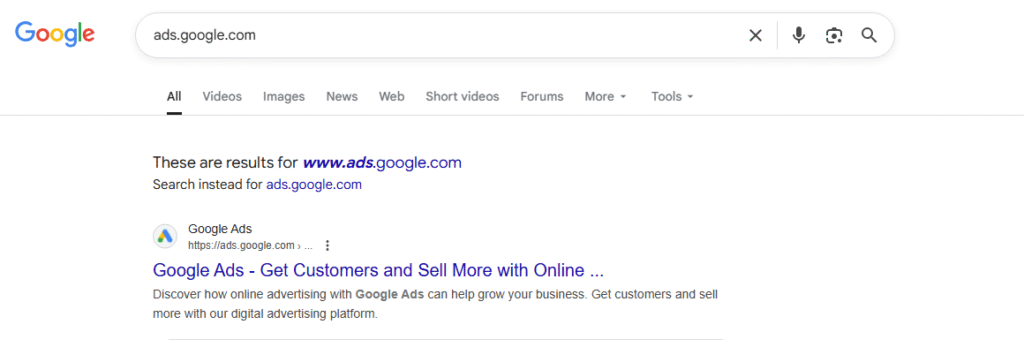
Open your preferred browser and type ads.google.com into the address bar. Press Enter to reach the official Google Ads homepage.
2. Click on the ‘Sign In’ Button
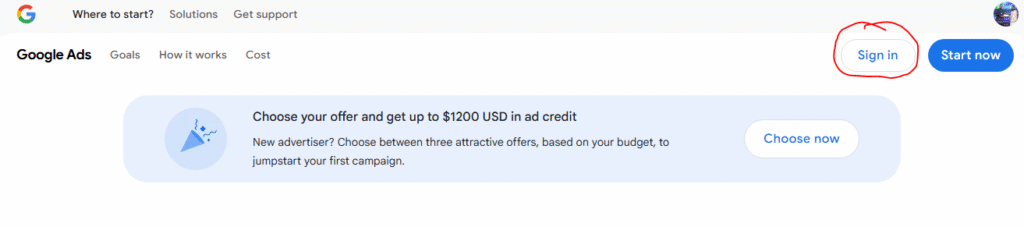
Locate the Sign In button in the top right corner of the page. Click it to begin the login process.
3. Enter Your Google Account Email
Type the email address linked to your Google Ads account. Always use the correct account to avoid login errors.
4. Provide Your Password
Enter your password carefully. Click Next to continue. Make sure you type the password exactly as you set it.
5. Complete Two-Step Verification (If Enabled)
If you have two-step verification, follow the prompts. You may receive a verification code by SMS, email, or authenticator app. Enter it to confirm your identity.
6. Access the Google Ads Dashboard
Once signed in, you will be redirected to the dashboard. Here you can:
- Create and manage ad campaigns.
- View performance reports.
- Update billing information.
Troubleshooting Google Ads Login Problems
If you can’t sign in:
- Check your internet connection.
- Verify your email and password.
- Click Forgot Password if needed.
- Clear your browser’s cache and cookies.
Security Tips for Your Google Ads Account
- Always log out when using public devices.
- Use a strong, unique password.
- Enable two-factor authentication for extra protection.
Conclusion
Signing into your Google Ads account is simple if you follow these steps. With secure login practices, you can protect your account and manage your ad campaigns efficiently.